Your progress journal
glowsince
Your progress journal

See your glow, day by day.

Rituals, water, mood, fasting and matched before and after photos in one calm, private place. Small steps, done daily, with proof you can see.Rituals, water, mood and progress photos in one calm, private place.

No sign-up. Your journal stays on your device unless you turn on sync.
Dramatization.
Water6 of 8 glasses
Fasting16:8, 2h 18m left
MoodCalm, trending up

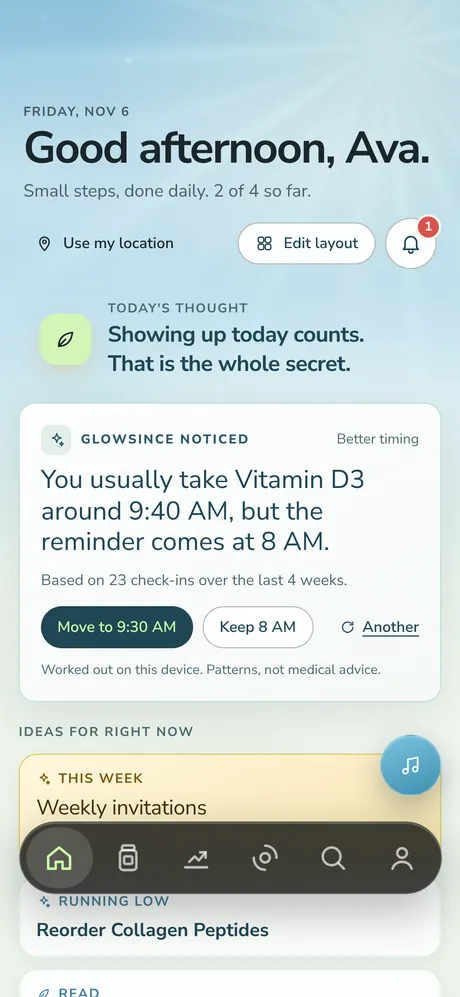
Most trackers count the days. Glowsince shows you what changed. Your routine, your results and your photos, side by side, so the glow you've built is something you can actually see.

Illustrative image with sample data. iPhone is a trademark of Apple Inc. Glowsince is not affiliated with Apple.

9:41
Rituals

Your whole routine, one tap each.

Supplements, skincare and beauty, morning and evening. Tick them off and see the day fill in.

Rituals

Your whole routine, one tap each.

Supplements, skincare and beauty, morning and evening. Tick them off and see the day fill in.

Progress photos

Before and after, done properly.

Glowsince helps you take each photo the same way, so the change you see is real. Slide through your own timeline.

Water and fasting

The daily basics, beautifully simple.

A water goal that fills as you go. Fasting plans from 12 to 20 hours, with a timer and gentle alerts.

Mood

Notice the pattern, not just the day.

One-tap check-ins that draw your month into a line you can read at a glance.

Journal

Write it, draw it, or answer a prompt.

A quiet page for the thoughts that do not fit in a checkbox. Private, and yours to keep.
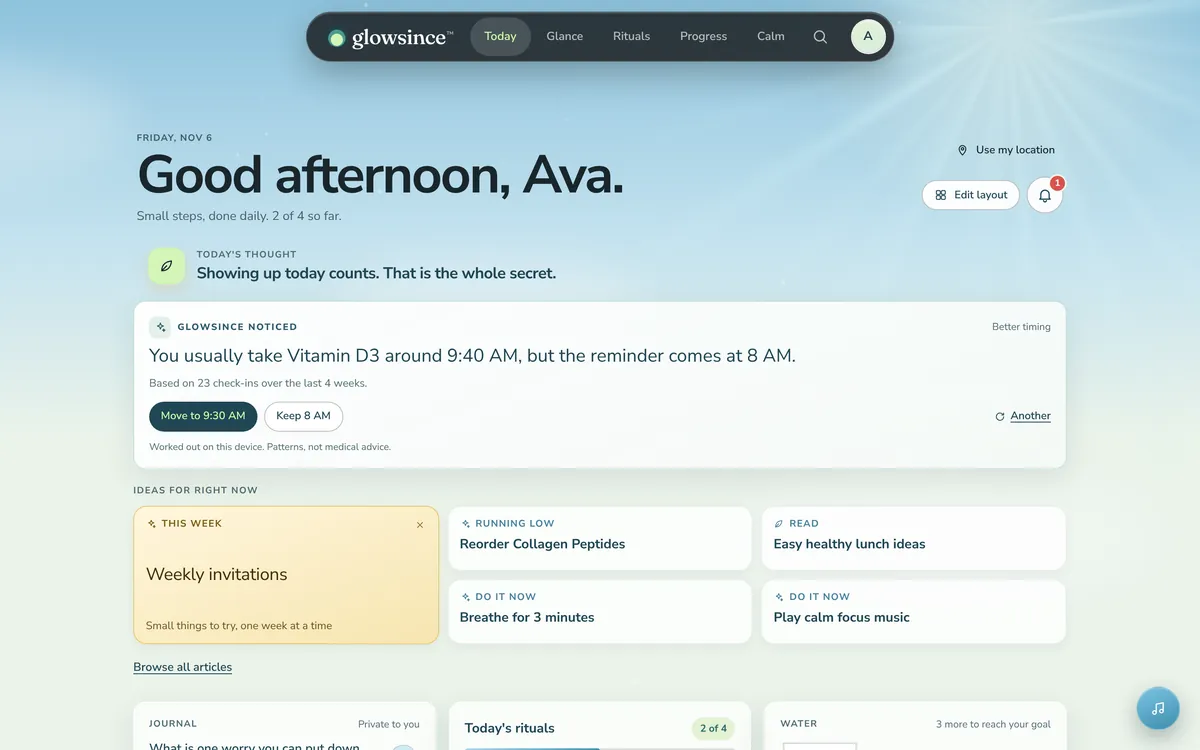
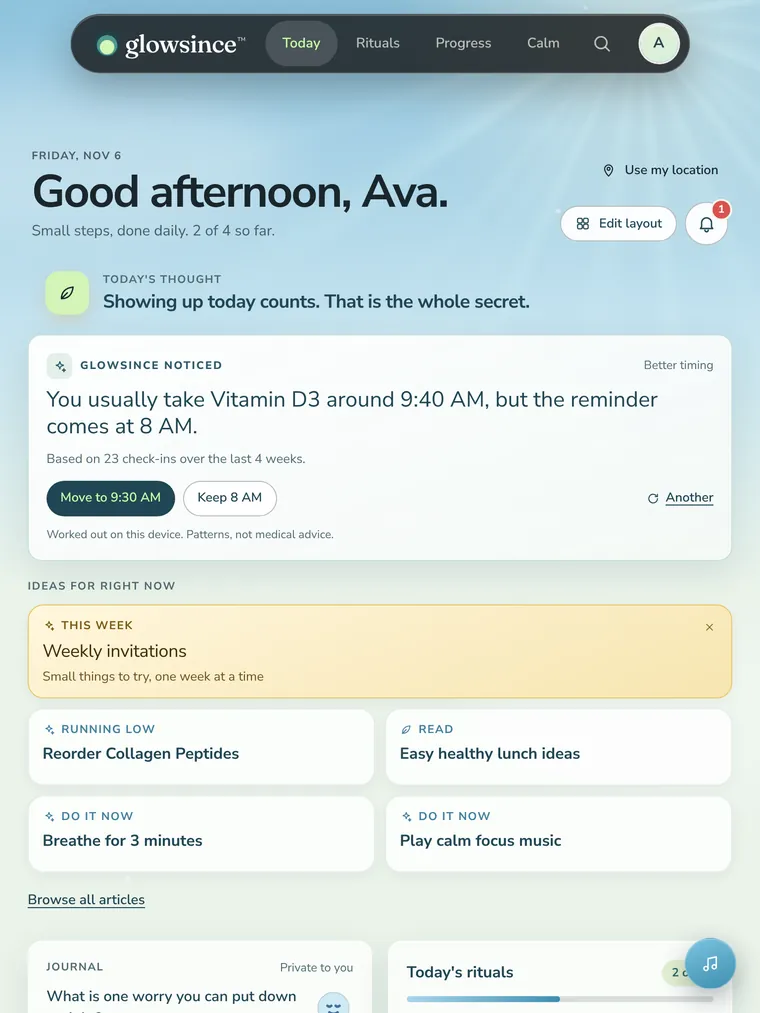
Phone, tablet, computer

Made to fit whatever screen you hold.

Phone, tablet or laptop, Glowsince rearranges itself to fit. Same calm design, and these are real screens from the app.Phone, tablet or laptop. These are real screens from the app.

Illustrative image with sample data. MacBook, iPad and iPhone are trademarks of Apple Inc. Glowsince is not affiliated with Apple.
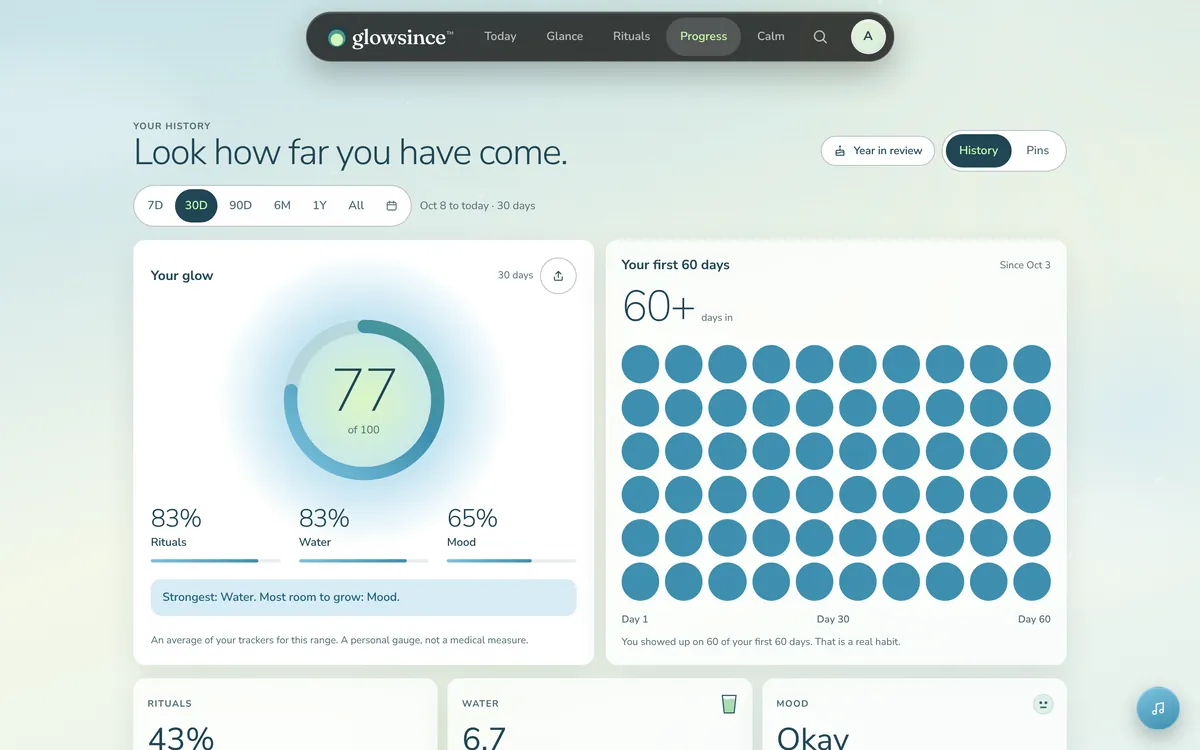
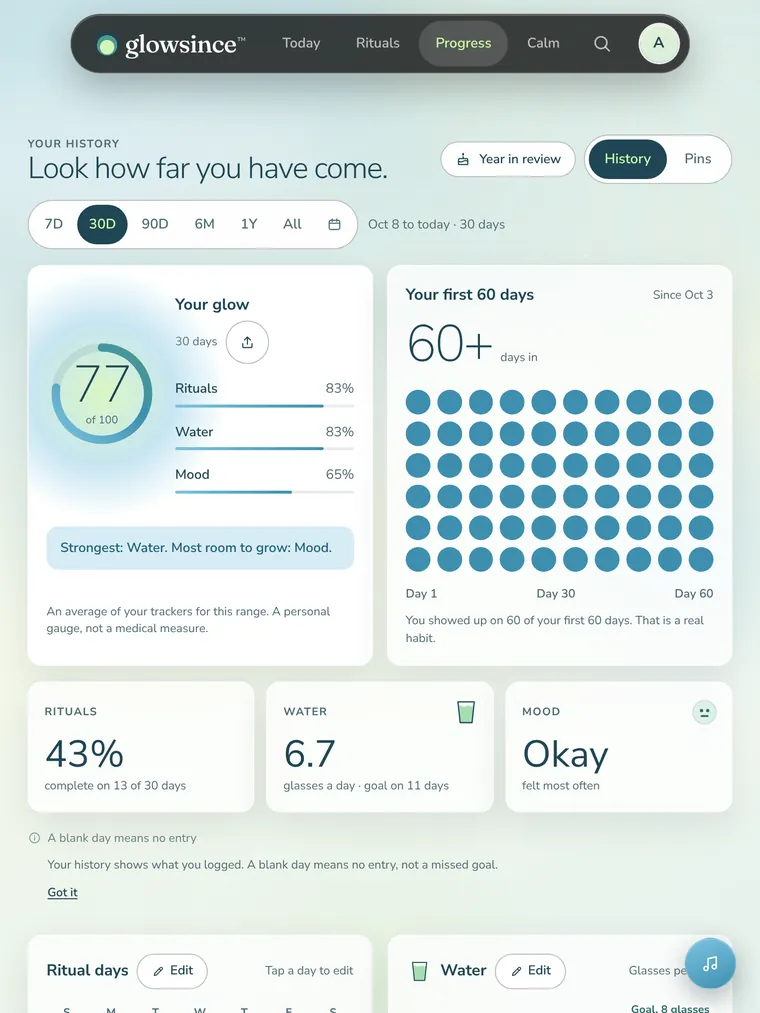
Progress

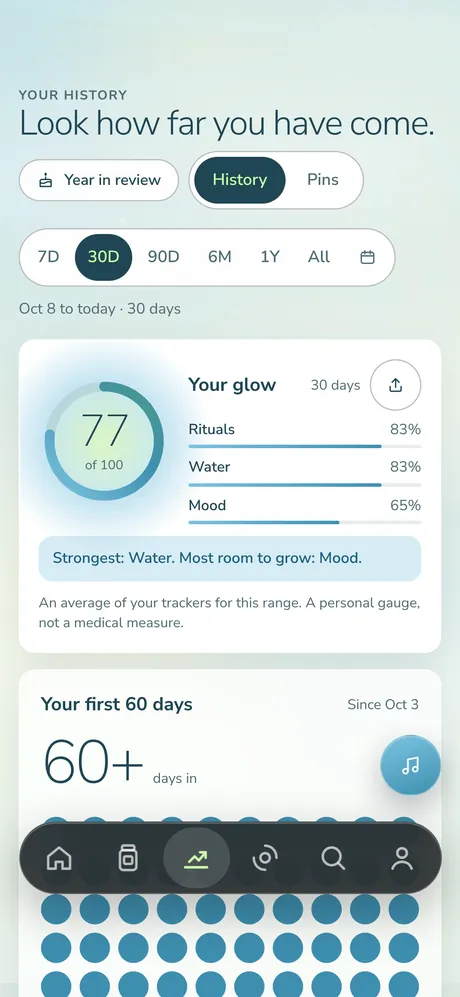
Watch it add up.

Every log turns into something you can read.
Trends, patterns and totals,
drawn as you scroll.
Every log turns into trends and totals you can read.

0+31 in 60 days

Glow score

One number from 0 to 100 that averages your rituals, water and mood. A personal gauge, not a medical measure. Hover or drag the line.
0

Rituals completed

Last 8 weeks
0

Showing up

Each square is a day you logged.

This month

Your daily goals, hit or missed
Sample data shown for illustration.
Calm

Breathe. Then listen.

A breathing guide with soft chime cues,
plus rain, ocean and starfield mixes for focus
and sleep. Every session lands in your log.
Guided breathing and calm sounds for focus and sleep.

Calm 4-6Box 4-4-4-4Relax 4-7-8Sleep timer

Not medical advice. Breathe normally if you feel dizzy.

Progress photos

Drag to see the difference.

Glowsince lines up your photos by date, so day one and day sixty sit in the same frame. Your photos stay on your device, or in a locked backup only you can open.Day one and day sixty, lined up in the same frame.

Day 1
Day 60
Drag or use arrow keys.

AI-generated sample images, not real results. The slider is a website demo; in the app, photos sit side by side.

A lot more under the hood.

Privacy

Yours. Not ours, and not for sale.

  • Stays on your deviceYour journal, photos and logs are stored in your browser, not on our servers.
  • Cycle and health data, extra protectedKept on your device, or encrypted in your own Google Drive or Dropbox if you sync. Never used for ads.
  • Back up and sync, on your termsConnect your own Google Drive or Dropbox and your journal stays in sync across your devices, locked with a password only you know.
Latest reads

Small habits, plainly explained.

See all articles
Use Glowsince your way

One journal. Four ways to open it.

Start in your browser, install it like an app,
or keep the Companion beside whatever you’re working on.
Use it in your browser, as an app, or beside your work.

Anywhere

In your browser

Open glowsince.com in Chrome, Edge or Safari. Nothing to install.

  • Every tracker and screen
  • A calm home screen for your browser
  • Works on any computer
Desktop

As an app

Install it from your browser and it opens in its own window, with its own icon.

  • Every tracker and screen
  • One click from your dock or taskbar
  • Sync with Dropbox or Google Drive
Phone + Tablet

On your Home Screen

Add it from the Share or menu button. It opens full screen, like any app.

  • Every tracker and screen
  • Calm and Sounds in your pocket
  • Sync with Dropbox or Google Drive
Chrome + Edge

Glowsince Companion

A small Glowsince window on the side of Chrome or Edge, so you can check in without leaving what you are doing.

  • Today, Progress and Calm
  • Sounds and a daily reminder
  • Full app is one click away

Your journal stays on your device. Sync with Dropbox or Google Drive to see it everywhere.

The Companion is for Chrome and Edge on a computer.

On your phone
1

Open the site

Visit glowsince.com
in Safari, Chrome or Edge.
2

Add to Home Screen

Use the Share or menu button,
then Add to Home Screen.
3

Start your first day

Pick your trackers and log your first day.

Start your glow today.

Open Glowsince
Make it your start page

Browsers do not let a website set itself as your start page, so this takes ten seconds in your settings. Copy the address, then:

https://glowsince.com/app/#glance
  • Chrome Settings, On startup, Open a specific page, paste.
  • Edge Settings, Start, home, and new tabs, Open these pages, paste.
  • Safari Settings, General, Homepage, paste.
  • Firefox Settings, Home, Homepage and new windows, Custom URLs, paste.

Glance mode is built for laptop and desktop browsers. The Glowsince extension for Chrome and Edge adds a daily reminder and quick links.